Web Analytics Made Easy - Statcounter

Charts Software for Indoor Cycling / Spinning

programa_graficas_ciclo_indoor_telegimtv
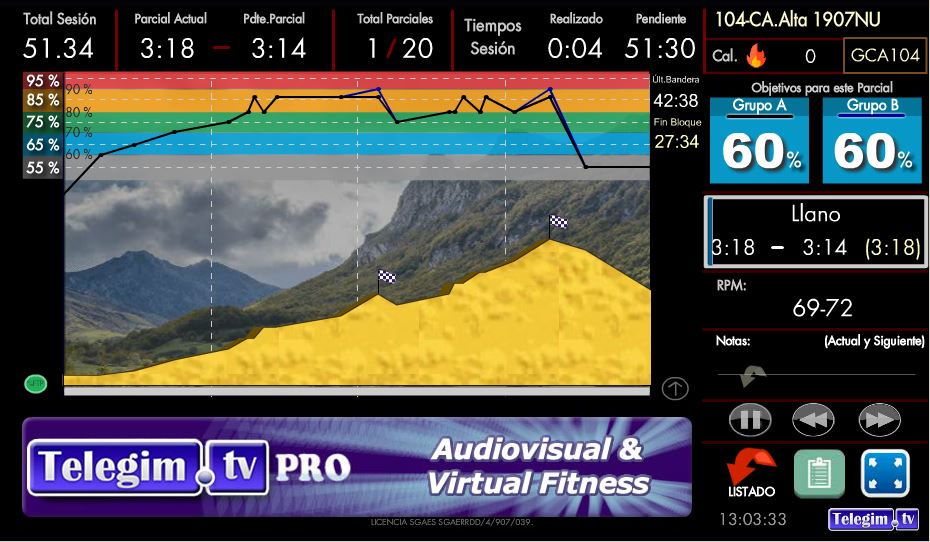
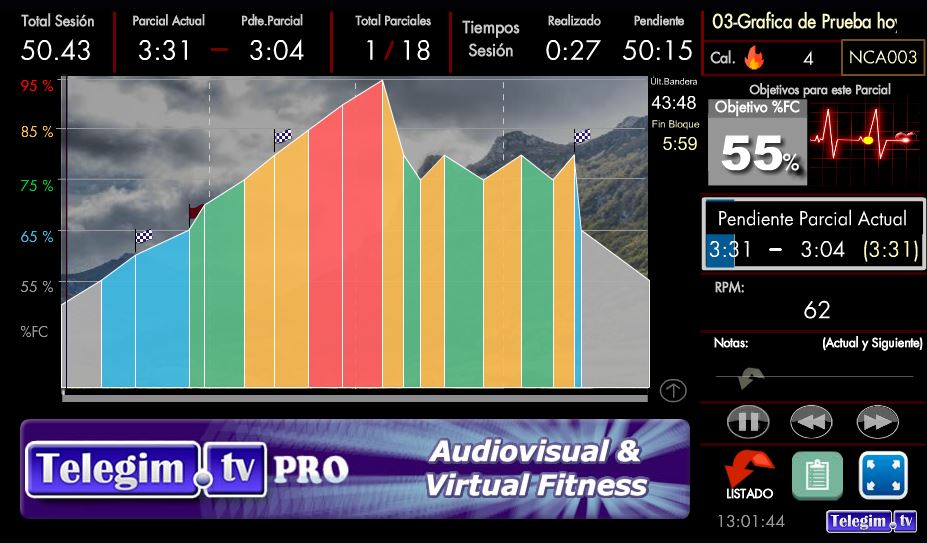
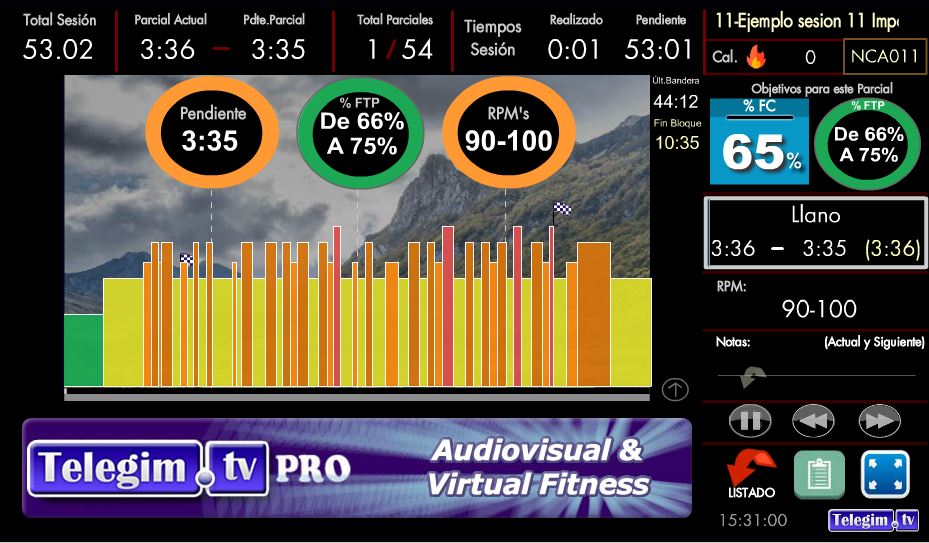
PRO Chart %HR BASIC Chart %HR PRO Chart %FTP

Building on the development of our Indoor Cycling chart software as a complement to our virtual video classes, and in response to the many requests we received since its creation in 2008 from gyms and Indoor Cycling instructors around the world who wanted to use our chart creation tool in their live classes, we created a completely independent version. This allows Indoor Cycling instructors — and even trainers in their Indoor Cycling / Spinning courses — to use it as an additional tool to make live classes, events and training sessions more dynamic.

The Chart Viewer can work Offline (without an Internet connection) or Online. However, an Internet connection is required to create or edit Indoor Cycling / Spinning Charts, because the Charts are created and stored in the cloud on our servers.

To create or edit Charts, you only need a computer or tablet with a web browser (Mozilla Firefox, Chrome, etc.). Using your username and password, you can access your private area to create and edit your Session Charts.

An Internet connection is not required to display the Charts in the Indoor Cycling studio either. Indoor Cycling Charts can be viewed Online using our Windows App in the cloud, or Offline — without an Internet connection — using our Offline Viewer. To view Charts Offline, they must first be downloaded to the computer.
If you want to use our hundreds of Chart + Music Sessions, an Internet connection is required because both the Charts and the Music are stored on our servers.


Our Chart creation software for Indoor Cycling classes is fully compatible with the latest versions of Firefox, Google Chrome and Internet Explorer. We recommend Mozilla Firefox or Google Chrome.


For all users in the Indoor Cycling studio to see the Charts clearly, ideally the computer should be connected to an external screen of at least 55 inches or larger — any current flat-screen TV with VGA or HDMI input — or to a projector.


The information shown on each Chart, as you can see in the example below, includes: Total Session duration, elapsed time, remaining time, current Segment number, total number of Segments, approximate time remaining in the current Segment, approximate calories burned up to that point, target %HR for the current Segment, technical riding position for the Segment (Flat, Climb), Segment RPM/BPM and, if desired, %FTP / %Watts targets for each Segment:
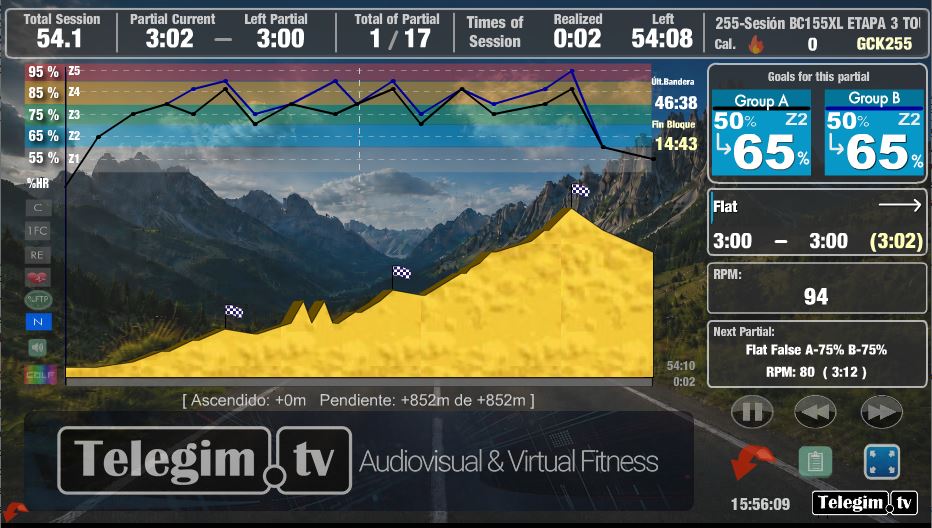

Example Chart from one of our Sessions
programa_graficas_ciclo_indoor_telegimtv

Example showing the Training Zones in %Watts / %FTP colors
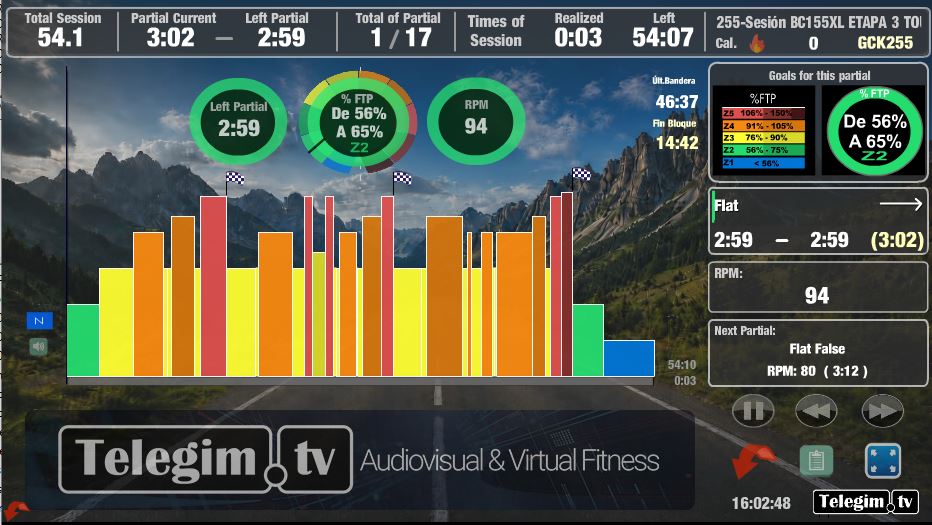
To create the Chart for any Session, you only need to enter the basic data. For each Segment/song, enter the target %HR, Profile, pedaling RPM (in relation to the BPM of the music for each Segment) and Segment duration. From this data, the software automatically creates the Session Chart.


DEMO Example: Chart + Music + Video Session


Benefits of using animated Charts and Virtual Routes
in Indoor Cycling / Spinning classes


From more than 10 years of experience, we can say that including an active animated Chart in Indoor Cycling classes — showing the current point of the Session, its Profile as if it were a cycling stage with climbs, descents and flats, as well as %HR targets, times, %Watts / %FTP and more — offers many benefits both for users taking the class and for the instructors leading it. Some of the main benefits of this tool, which has become an important part of modern Indoor Cycling, are:


1) Extra motivation for users and, as a result, for the instructor: Users are much more motivated when taking Indoor Cycling classes while viewing an active animated Chart. The visual information about the Session Profile — Flat riding, Climbs or Descents — together with the targets for %HR or %Watts / %FTP, creates a more realistic cycling-stage experience. This encourages users to stay focused, become more involved in the class and try to complete the Session as if it were a real cycling stage.
 

2) Visual support for the instructor's explanations: Having the active animated Charts visible in the studio on a TV screen connected to a computer, or even simply on a laptop, makes it much easier and clearer for the instructor to explain and guide the class throughout the entire Session. As the saying goes, "a picture is worth a thousand words".
 

3) Gradual technical improvement for users during classes: The user can clearly see the riding technique required at all times because the visual Session Profile indicates whether the current Segment is Flat or a Climb, as well as the approximate RPM when this has been entered in the Chart. Sometimes users may be talking or may miss an instructor's cue and unintentionally use the wrong technique. With the active Chart, they can immediately see, for example, that the Session is on a Flat section; if they are riding with a Climbing position and cadence, they can quickly correct their technique when they notice that the Chart is showing a different Profile.